RetroScaler2x A/V to HDMI® Converter and Line-doubler For Retro Game Consoles PS2 N64 NES Dreamcast Saturn MD1 MD2
Blue with USB cable
Precio de oferta
$207.049,00
Precio habitual $238.106,00
Ir directamente a la información del producto

 If you have become a fan of our store, twitter or facebook, please go to the AliExpress buyer APP and enter the RetroScaler Official Store homepage to get your exclusive coupons. Or contact us to get the coupons.


RetroScaler2x A/V to HDMI® Converter and Line-doubler For Retro Game Consoles PS2 N64 NES Dreamcast Saturn MD1 MD2
Precio de oferta
$207.049,00
Precio habitual $238.106,00
SPECIFICATIONS
Accessories Type: HDMI Converter
Bluetooth range: NO
Brand Name: RetroScaler
Cable features: Retractable
Choice: yes
Color: Red and Blue
Compatibility: outputs a true 480p60 signal
Compatible Brand/Model: SEGA
Compatible Sega Model: MEGA DRIVE,SATURN,DREAMCAST
Control Method: Push button
Controls Type: Push button
Electric: No
Enclosure material: Others
Fastening type: Others
Harness Feature: Others
High-concerned chemical: None
Item: RetroScaler2x A/V to HDMI-compatible Converter
Model Number: XLL-2X-RetroScaler
Occasion: Others
Origin: Mainland China
Platform: Other
Portable: Yes
Region Compatibility: Both NTSC and PAL signals
Reusability: Reusable
Sensor Technology: Others
Support 1: Vic20, Msx, NES, N64
Support 2: SFC, SNES, SuperFamicom, Playstation 2
With USB: yes
semi_Choice: yes
If you have become a fan of our store, twitter or facebook, please go to the AliExpress buyer APP and enter the RetroScaler Official Store homepage to get your exclusive coupons. Or contact us to get the coupons.
RetroScaler2x A/V to HDMI-compatible Converter and Line-doubler
for Retro Game Consoles
Attentions:
1. RetroScaler2X doesn't support all PAL-M consoles in Brazil and SFC PAL version console.
2. RetroScaler2X support component / AV/ SV signal input. Before purchasing, please confirm whether your game console can output these three video signals.
(Retroscaler2x doesn't support RGBS signal input, so don't use RGBS cable be used with it. )
3. When using Retroscaler2x, please use the signal cable to connect it to the game console and TV directly. Do not use other signal convertor with it.
4. When using RetroScaler2x, please do not connect multiple signals at the same time.
usage video: Please search RetroScaler on youtube.
5. If you have high requirements for game quality, you can consider OSSC.
For product technical support:
1. Please join the RetroScaler Discord : discord.gg/aryJd43VWJ
RetroScaler2x Supported Console (but not limited to):
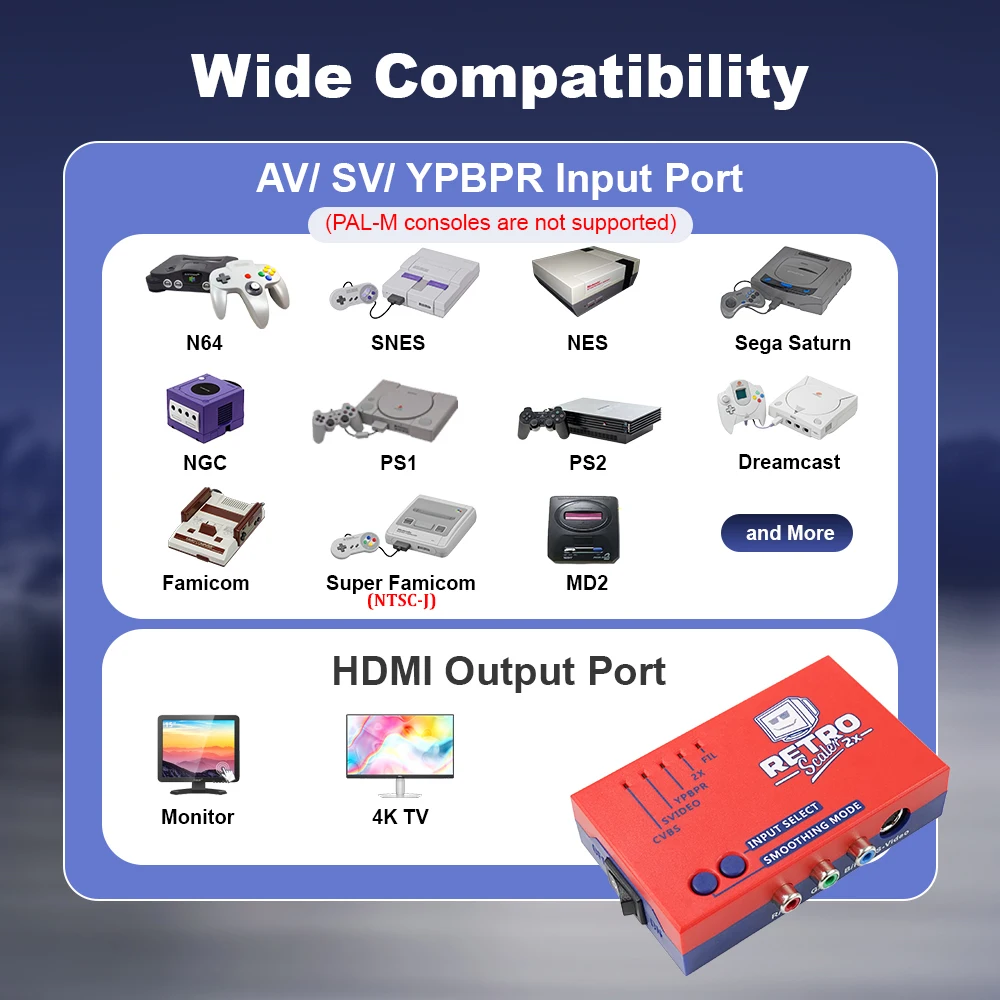
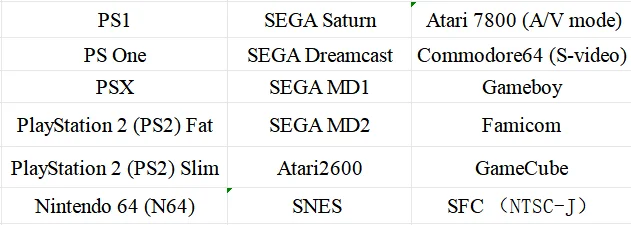
Buttons, connectors and external controls:
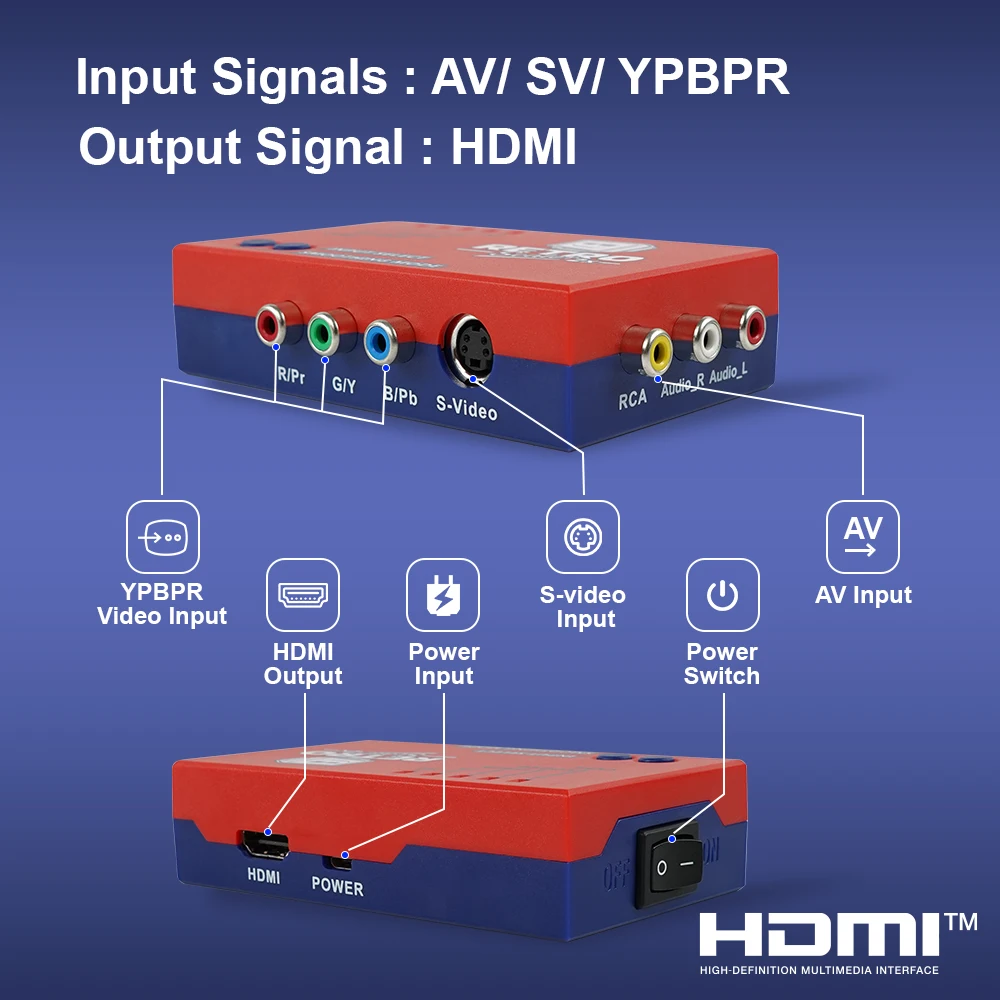
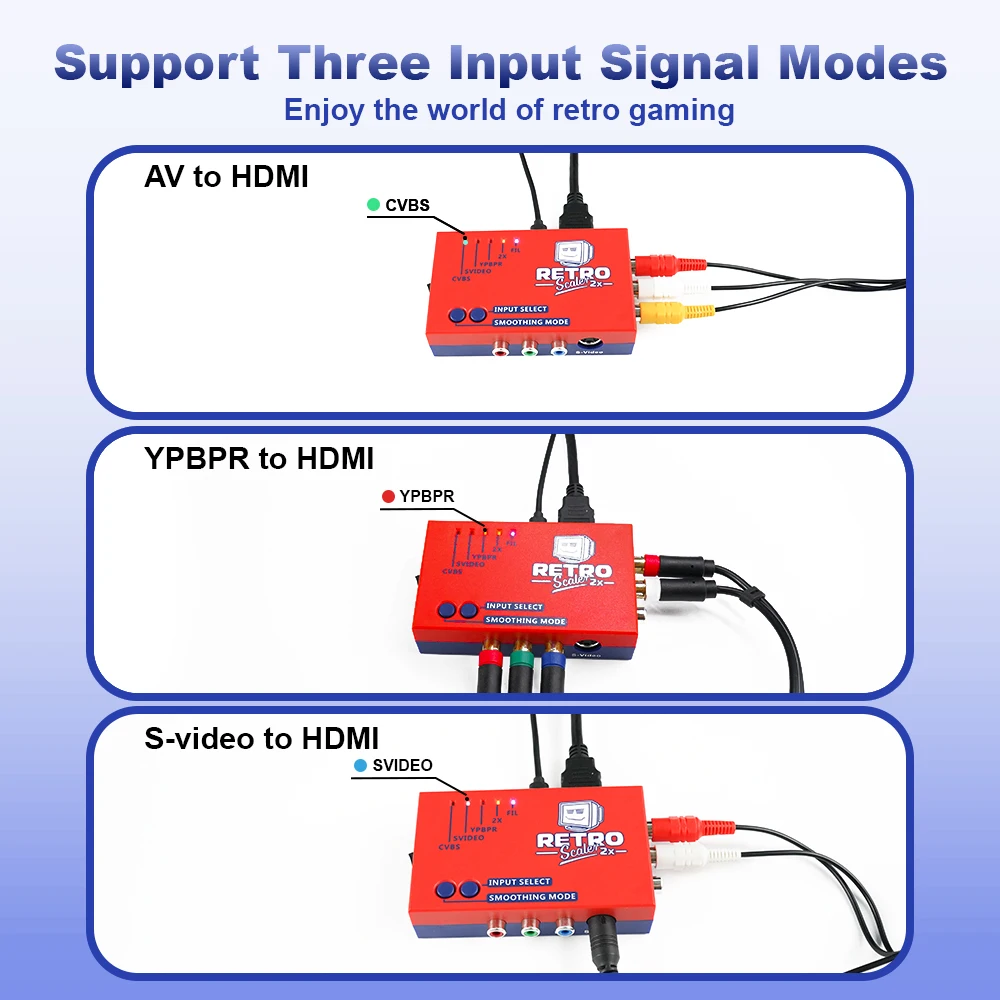
Component video input--Connect component video (YPBPR) sources to this input. As a note, the chip used in this device does not support RGB, so an RGB SCART input will never be an option.
S-video input-- Connect an S-video (4 pins connector) source to this input, other sources are not support.
AV input-- Standard composite (RCA) connector. You can connect sources such as the Nintendo Super Famicom, Nintendo GameCube, N64 etc.
HDMI® video out--All the received video and audio signals will be output on the modern LCD monitor/TVs with HDMI® interface.
Power input-- Any decent quality Micro USB charger can be used to power the RetroScaler2x, as it’s a very efficient device. Your are even able to power mine via the USB ports of your TV!
Power Switch-- Toggles power off and on.
Input Select (INPUT SELECT)-- The input button selects between the composite, S-Video and Component Video inputs, or combination.
Output Select (SMOOTHING)-- The smoothing mode button allows you to chose which video mode it’s in
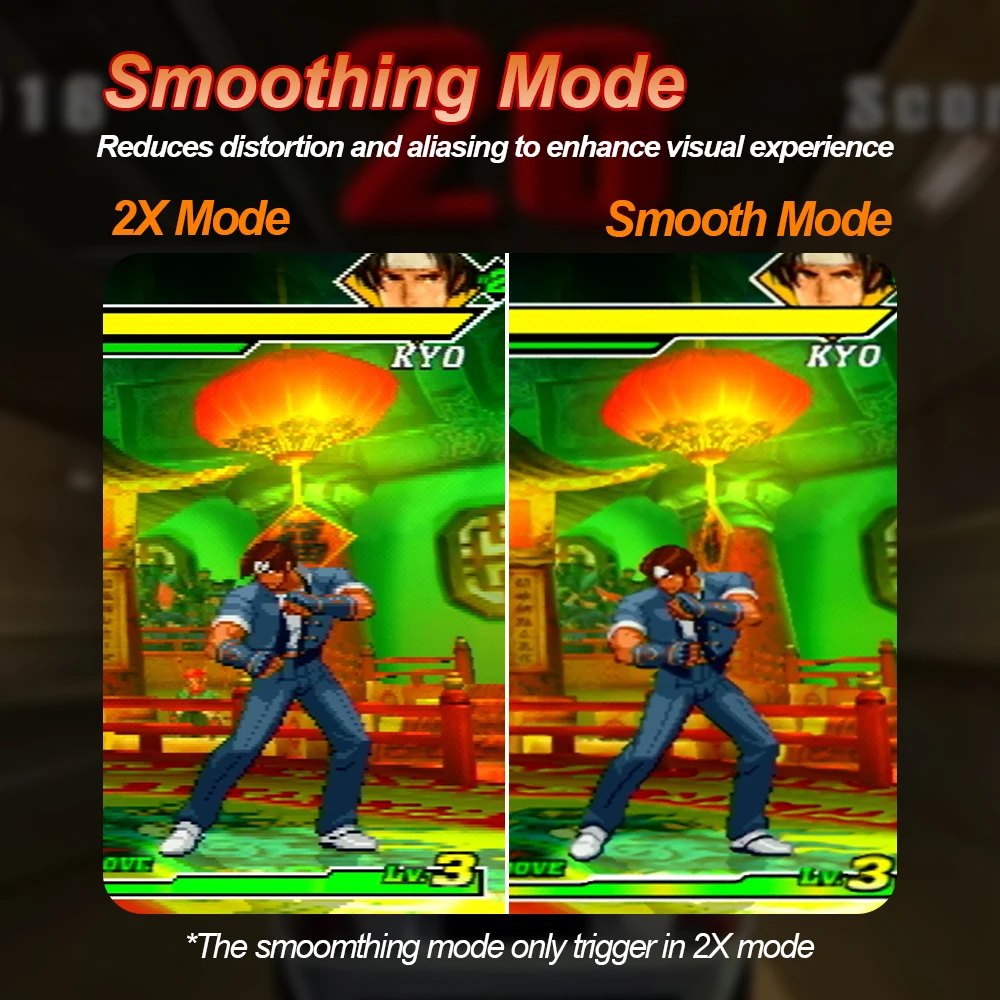
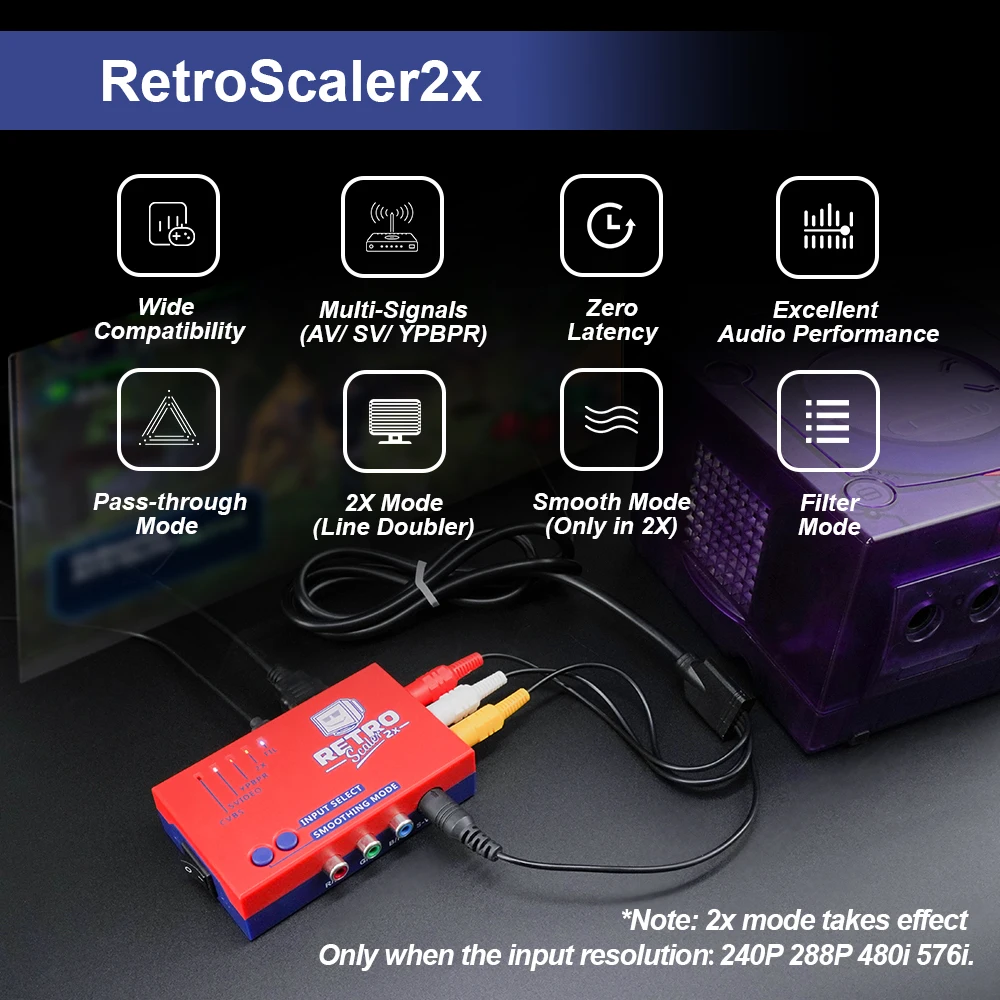
FIL (blue led lights on):This mode adds a filtering option to to minimize image aliasing for the 480p/576p output.
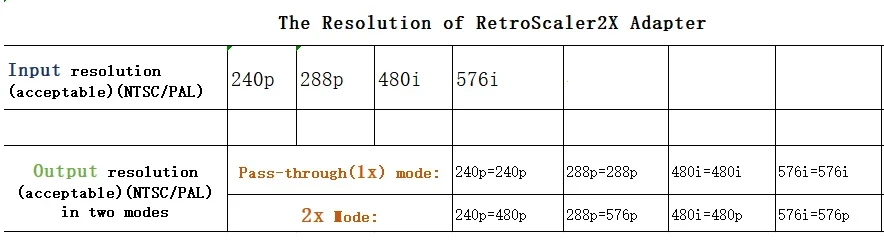
2x Mode (orange led light on ):This is the standard “LINEDOUBLE” mode that outputs 480p/576p. This is the mode that’s the system defaults to when powered on.
Pass-through (both orange and blue LEDs light off):This mode simply output whatever the input signal is, without changing the resolution.
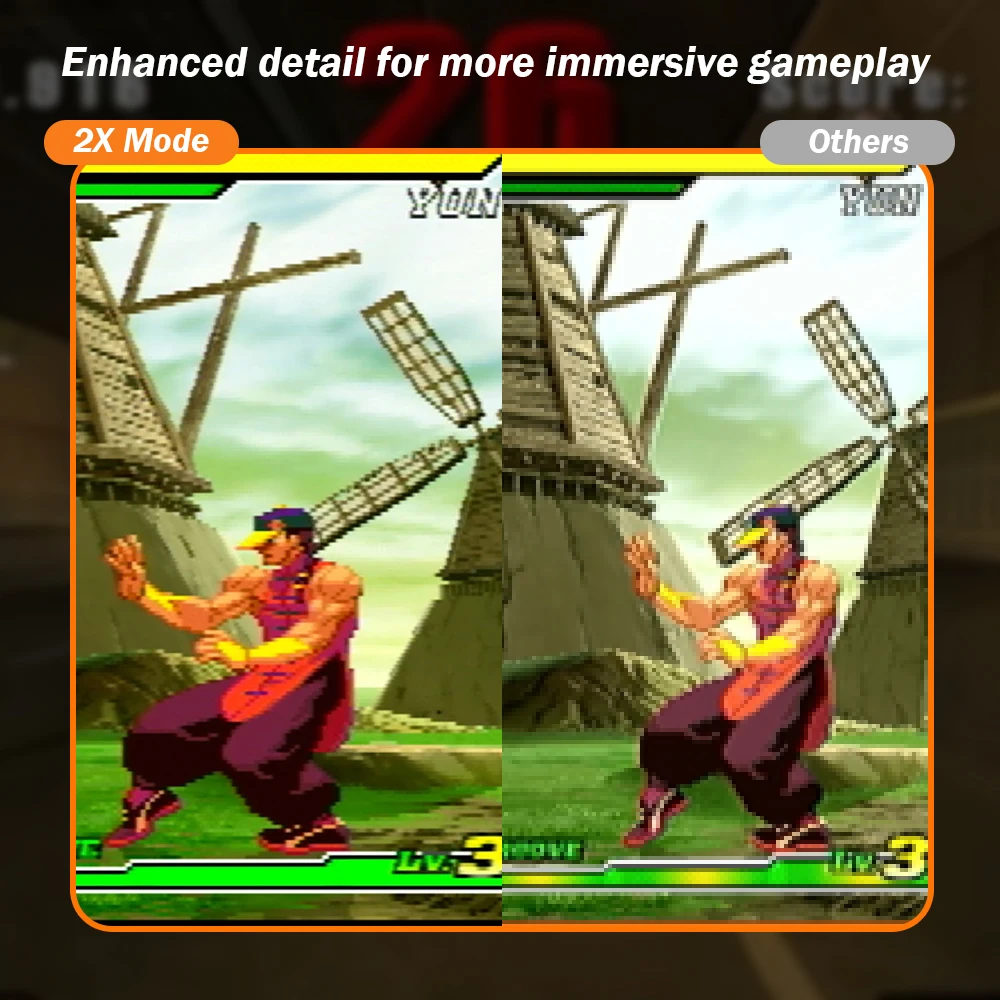
RetroScaler2x Features:
Signals / Resolutions:
The RetroScaler2x can accept 240p/480i/288p/576i NTSC/PAL sources to converter to 480p/576p HDMI output (480p for NTSC, 576p for PAL). For example 240p signals are supported properly, allowing for a completely progressive linedouble to 480p. 480i signals are deinterlaced and doubled also to 480p. Keep in mind that the output resolution of this device only up to 480p/576p.
Zero Lag:
The RetroScaler2x is a zero lag device, proven using multiple measurements and different devices.
Region Compatibility:
Both NTSC and PAL signals are supported, but they are not converted to each other. That means you can plug in whatever signal your target device is compatible with, but NTSC might not work on PAL HDMI devices and vice versa.
Filter Modes:
The “FIL” mode is completely preference-based, but the average retro-gamer prefers the FIL mode off for 2D games (SNES, Genesis, etc) and on for 3D games (N64, Saturn, etc). Also, the FIL mode might help reduce flicker with some 480i-only games.
Compatibility:
Another great feature of the RetroScaler2x is that it outputs a true 480p60 signal, making it compatible with every device I tested it with! Compatibility is a big issue for retro-gamers, as modern displays aren’t used to the resolution or refresh rate of these older consoles. This device is an excellent help for streamers who want the highest chance of compatibility.
Performance – Audio:
Audio performance on the RetroScaler2X is good although we would have to stop short of saying it was perfect. In general uses there are no issues with the audio digitization but on brassiere sounds like explosions the output may sound a little rougher than it did through the OSSC. This isn’t something you’re likely to even notice on a TVs speakers, though you might if you have an external amp or home theatre system. In that case of course, it’s usually perfectly easy to route audio around the RetroScaler2X anyway.
The Pass-through:
By putting the RetroScaler2X into pass-through mode, incoming composite, s-video or component signals are simply transparent and digitized into HDMI. Support for 240p is rare in the world of HDMI, but by adding a simple HDMI to VGA converter, you can convert the signal back to the analogue domain again. This makes the unit a perfect transcoder to go with 15 kHz displays like PVMs, or of course, the OSSC.
Connecting your RetroScaler2x:
1) Connect a suitable source to the composite, component (YPBPR) or S-video connectors.
(The inputs can only be used one at a time and it’s strongly suggested that you do not leave consoles plugged in at the same time, even if they are off)
2) Ensure you are connected to the USB power, and then switch on your RetroScaler2X.
3) Connect to the display via HDMI® interface, and then play your games.
4) Select the appropriate video mode through button according to your needs.
Important safety information:
Please observe the following safety precautions when using your Retro Scaler2x.
Use the correct power supply-- the Retroscaler2x is powered by a regular 5 volt Micro USB port that can be powered by a normal power supply or powered by a device that has a USB port. Please make sure that the power supply you are using meets any of the above requirements. Never use a power supply that is not regulated to prevent damage to the equipment.
Turn off the power before connecting/disconnecting the device-- to prevent damage to the device ICs, always turn off the power before connecting the monitor or device.
Do not expose to moisture Droplets of moisture-- may contact the PCB and cause a short circuit. Never submerge the unit in water.
Keep away from fire or high heat sources–RetroScaler2X is not flammable but high temperatures, such as those from a fire or electric heater may melt the plastic casing.
Please supervise children-- Retro is not a toy and is not designed for use by children. Please supervise children if they use the Retro.
RetroTINK2X and OSSC
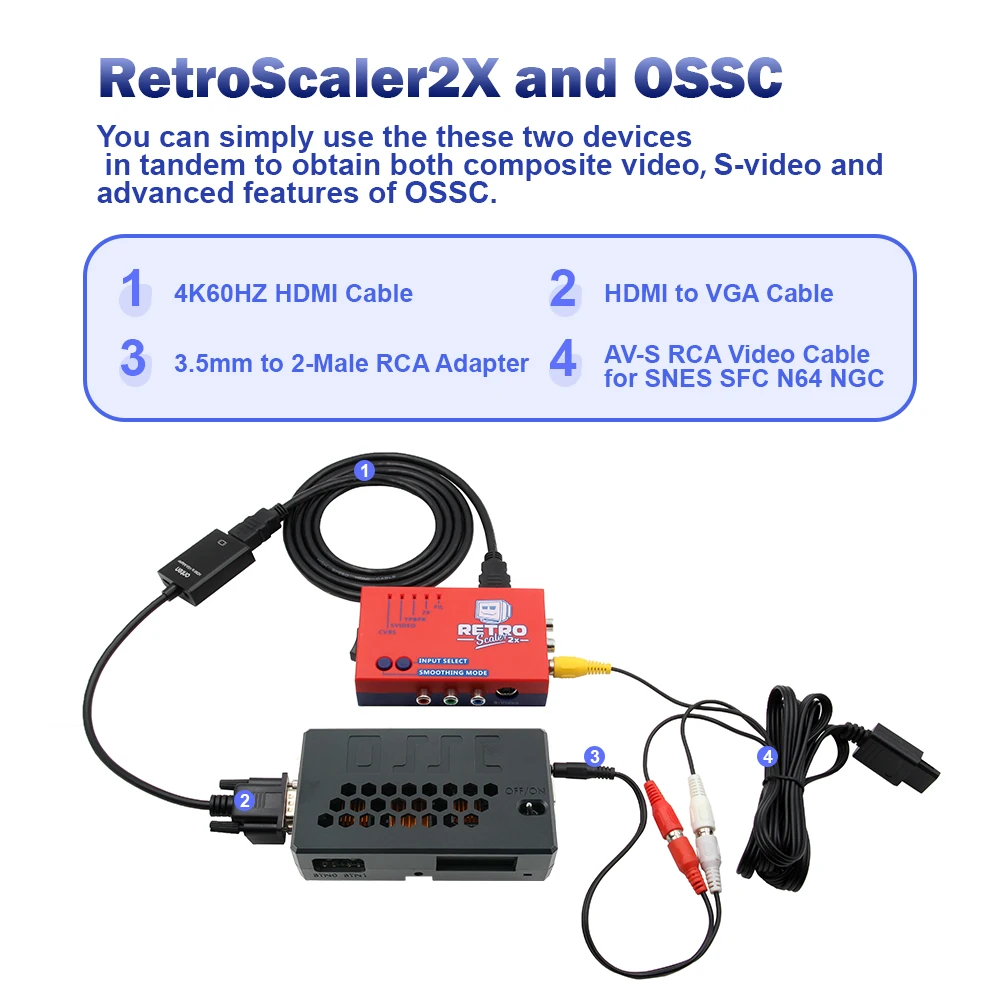
You can simply use the two devices in tandem, support both composite video and s-video and advanced features of ossc. Piggybacking the RetroScaler2x to the OSSC is very easy .All you need is a simple HDMI to VGA adapter. We will be carrying a tried and tested model in our store that fully supports 240p output and does not appear to crush blacks or over-saturate whites.
With a suitable adapter in hand, set the RetroScaler2X to transcode mode, connect the HDMI® to VGA adapter to your RetroScaler2X, then connect the output of the adapter into your OSSC via the VGA port. Finally, switch the VGA port on the OSSC to 480p mode (Sampling opt->480p in sampler->DTV 480p).you have access to the OSSCs famous scanline engine and line multiplication modes with all your composite video and S-Video sources.
You can also access things like the advanced timing tweaker, allowing you to center the image using the backporch controls or apply a little faux zoom using the V.Active controls.
The following figure is the AV signal input connection diagram:
1.You need to prepare 3.5 stereo male head to lotus female head to connect AV Audio and Ossc Audio.The yellow lotus head is connected to the RCA of the Retroscaler2x.
2.The HDMI® to VGA adapter is used to connect the HDMI® interface of Retroscaler2x and the VGA interface of OSSC.